
Best Apps for AI-Generated Study Podcasts 2026
What if your study notes could talk back to you? AI-generated podcasts are changing how students learn — turning dense textbooks, lecture recordings, and messy handwritten notes into engaging audio conversations you can absorb while walking to class, doing laundry, or waiting in line.
The idea is simple: instead of re-reading notes for the fifth time (and retaining nothing), you let AI create a podcast-style discussion about your material. Two AI hosts debate the concepts, ask each other questions, and explain things like they're chatting with a friend. It's passive learning that actually works.
We tested the most popular AI study podcast apps in 2026 to find what genuinely helps — and what's just marketing hype. Here's what we found.
Why AI Study Podcasts Actually Work
There's science behind this. Research on "elaborative interrogation" shows we learn better when concepts are explained conversationally, with questions and examples. Traditional podcasts do this naturally — two hosts exploring a topic beat a monotone lecturer reading slides.
AI study podcasts apply this to your actual coursework. Instead of generic educational content, you're hearing a discussion about your chemistry notes, your history readings, your exam material. The personalization makes retention dramatically higher.
"That podcast feature was a godsend when I was studying for my exams. I'd upload my notes and listen on my commute. Way better than staring at the same pages over and over."— Reddit user in r/podcasts
The catch: most "AI podcast apps" don't actually create podcasts — they summarize existing podcasts. You need apps that generate audio from your own content. Let's compare the options.
Best Apps Compared
1. MelonNote — Best All-in-One Study Companion
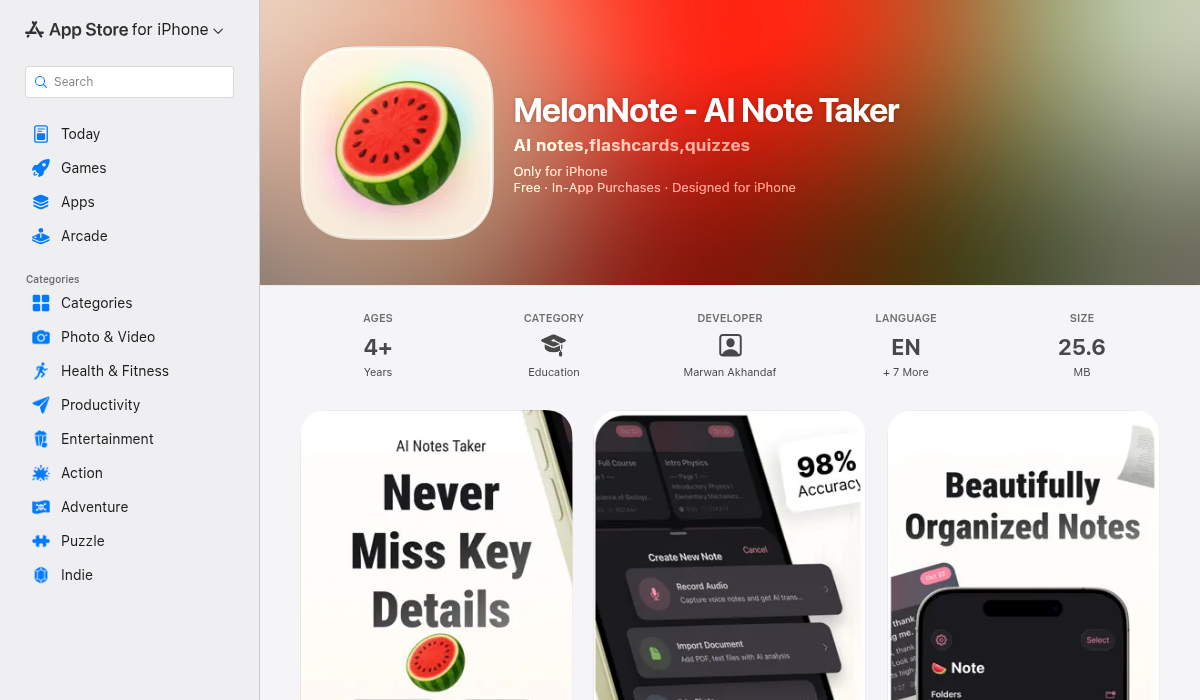
MelonNote stands out because it handles the entire study workflow — from recording lectures to generating podcasts about them. Record a lecture, import a PDF, or snap a photo of a whiteboard. The app transcribes everything, creates summaries, and then generates a two-person podcast discussion about your material.
The podcast feature uses 16+ different voices, so you can pick hosts that don't sound robotic. You control the duration and depth. The AI hosts ask each other questions about your notes, explain difficult concepts, and make connections you might have missed.
- ✅ Generates podcasts FROM your notes (not about existing podcasts)
- ✅ Full study suite: transcription, flashcards, quizzes, AI tutor
- ✅ 16+ realistic voices with configurable hosts
- ✅ Works offline after generation
- ✅ Most affordable option ($3.99/mo vs $8-10+ for competitors)
- ✅ iOS and Android support
- ❌ Requires your own content (lecture recordings, PDFs, notes)
Best for: Students who want one app for everything — record lectures, create notes, generate flashcards, AND get AI podcasts about their material. The price-to-feature ratio is unmatched.
2. NotebookLM (Google) — Best Free Research Tool
Google's NotebookLM gained viral attention for its "Audio Overview" feature — upload documents and it generates a surprisingly natural-sounding podcast discussion. Two AI hosts chat about your uploaded material with genuine enthusiasm, sometimes too much.
The quality is impressive for a free tool. The hosts banter naturally, ask follow-up questions, and explain concepts clearly. It's become the go-to recommendation on Reddit for students wanting to try AI study podcasts without paying.
- ✅ Completely free (Google account required)
- ✅ Natural-sounding AI hosts
- ✅ Good for research papers and dense documents
- ❌ Web-only — no mobile app
- ❌ Can't record lectures directly
- ❌ No flashcards, quizzes, or study features
- ❌ Limited voice customization
Best for: Students who want to try AI podcasts for free, especially for research papers and reading assignments. Limited for active lecture-takers.
3. Snipd — Best for Podcast Learners
Snipd takes the opposite approach — instead of generating podcasts, it helps you learn from existing podcasts. Tap to highlight moments while listening. AI generates transcripts and summaries. Export highlights to Notion or Obsidian automatically.
For students who learn from educational podcasts (Huberman Lab, Lex Fridman, etc.), Snipd turns passive listening into active note-taking. The highlight feature captures context around your tap, giving full quotes rather than fragments.
- ✅ Excellent for learning from existing podcasts
- ✅ One-tap highlights with context capture
- ✅ Exports to Notion, Obsidian, Readwise
- ✅ AI chapters and summaries
- ❌ Doesn't generate podcasts from your content
- ❌ $6.99/mo (free tier: 2 episodes/week)
- ❌ No desktop app
Best for: Students who learn from educational podcasts and want better note-taking. Not for generating study podcasts from your own material.
4. Podwise — Best for Reading Over Listening
Podwise takes a unique approach: instead of listening to podcasts, you read AI-generated summaries. It structures content with key takeaways, mind maps, and highlights. Faster than listening if you just want the main ideas from a three-hour episode.
- ✅ Detailed summaries with structure
- ✅ Mind maps and visual organization
- ✅ Good export to Notion/Obsidian
- ❌ For summarizing podcasts, not creating them
- ❌ $8/mo or $72/year
- ❌ Web/Chrome only
Best for: People who prefer reading to listening but want to extract value from podcast content.
5. ElevenLabs + ChatGPT — Best DIY Option
For the technically inclined, you can build your own workflow: use ChatGPT to write a podcast script from your notes, then feed it to ElevenLabs for realistic voice synthesis. More work, but maximum control over the output.
- ✅ Complete control over script and voices
- ✅ Highest quality voices available
- ❌ Manual process (no automation)
- ❌ Requires multiple tools and subscriptions
- ❌ Time-consuming setup for each podcast
Best for: Power users who want custom results and don't mind the extra work.
Quick Comparison Table
MelonNote — Creates podcasts from your notes — $3.99/mo — iOS, Android
NotebookLM — Creates podcasts from documents — Free — Web only
Snipd — Takes notes from existing podcasts — $6.99/mo — iOS, Android
Podwise — Summarizes existing podcasts — $8/mo — Web, Chrome
ElevenLabs + GPT — DIY podcast creation — $5-22/mo — Web
Pro Tips for AI Study Podcasts
- Quality in = quality out — Clean, organized notes produce better podcasts than brain-dump chaos. Spend five minutes structuring before generating.
- Listen actively, not passively — Treat AI podcasts as review, not first exposure. Learn the material once, then reinforce with audio.
- Match the medium to the material — Conceptual topics (history, psychology) work great as podcasts. Calculation-heavy material (math, physics) still needs visual study.
- Use commute time wisely — AI study podcasts shine when you're doing something else. Walking, exercising, cooking — turn dead time into review time.
- Combine with other methods — Podcasts work best alongside flashcards and practice problems, not as a replacement.
The Bottom Line
The AI study podcast landscape splits into two categories: apps that help you learn from existing podcasts (Snipd, Podwise) and apps that create podcasts from your own material (MelonNote, NotebookLM).
For most students, the second category is more useful. You don't need better notes about Joe Rogan episodes — you need your organic chemistry lectures converted into something you can absorb during your morning run.
Our recommendation: Start with NotebookLM since it's free. If you want a complete study system with lecture recording, flashcards, quizzes, AND podcast generation, MelonNote does everything in one app at a fraction of what competitors charge.
The future of studying isn't just reading notes — it's hearing them explained back to you in a conversation designed for your brain. Try AI study podcasts once, and you'll wonder how you ever survived finals week without them.